
Guides · CombiSteel Knowledge Hub
Troubleshooting CombiSteel Stainless Worktables Used as Equipment Stands
Explore solutions for wobble and vibration in CombiSteel worktables used as equipment stands. Ensure safe load handling in your Irish commercial kitchen.
In this guide
When you use a CombiSteel stainless worktable as an equipment stand, wobble and vibration usually come back to two basics:
- Are you within the table’s published max load capacity?
- Is the table staying stable and square in day-to-day use?
Caterboss describes stainless tables in this range as heavy-duty constructions designed to support mixers, slicers and other countertop catering equipment safely (Caterboss stainless steel tables guidance). That’s useful context, but your starting point for troubleshooting is still the rating for your exact table and whether it’s staying stable under load.
Confirm your model and the published load limits
Before you chase vibration issues, confirm the SKU and work to the published limits for both the worktop and the bottom shelf.
Swipe or scroll horizontally to see all table columns.
| Model (Caterboss SKU) | Size | Published max load capacity shelf (kg) | Notes |
|---|---|---|---|
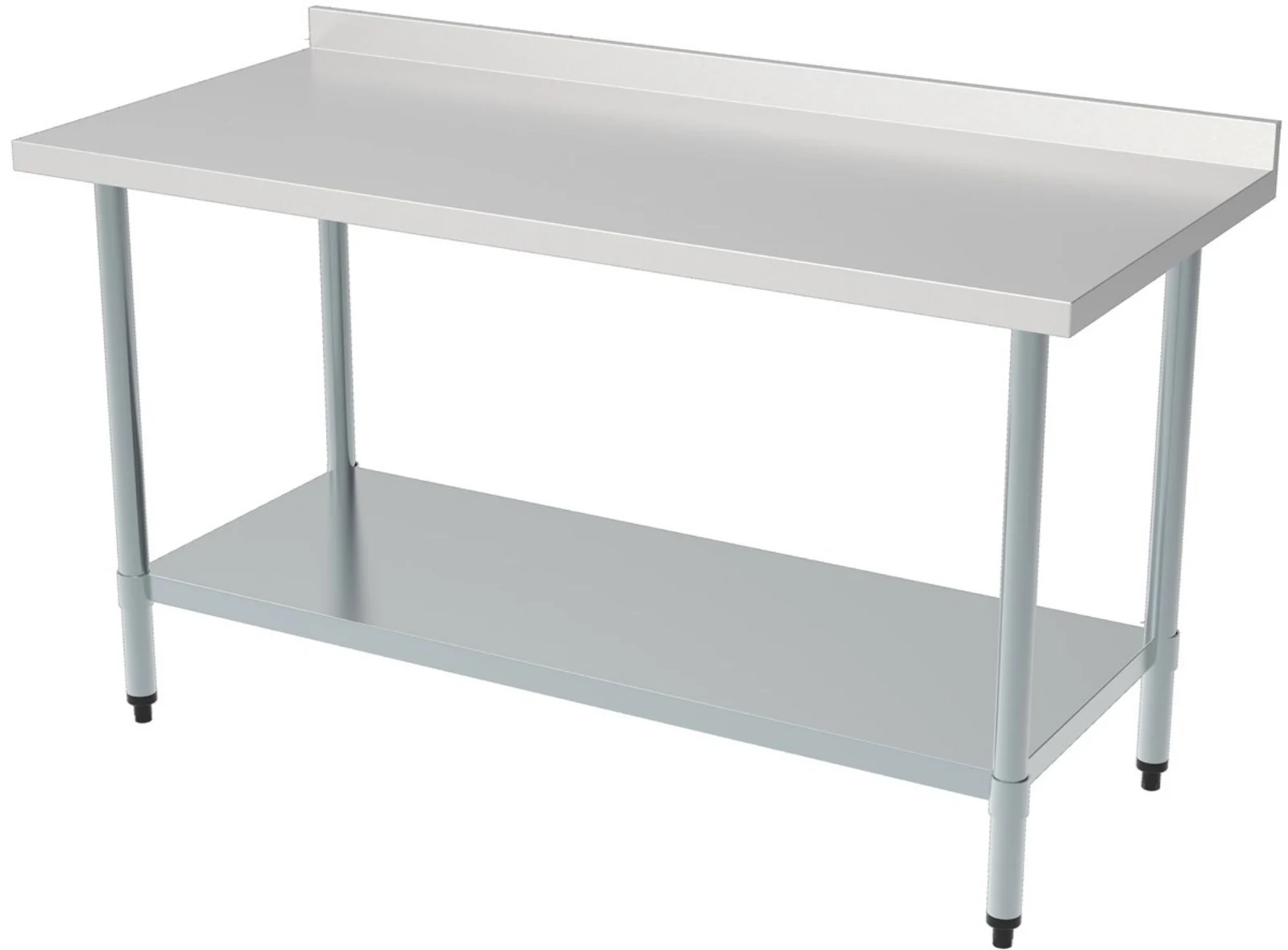
| CombiSteel 700 Worktable Bottom Shelf Round Legs 700 (7490.0025) | (H)850 × (W)700 × (D)700 | TOP 150KG / BOTTOM 50KG | Open frame (Caterboss SKU 7490.0025 listing) |
| CombiSteel 700 Worktable with Upstand and Bottom Shelf, 700 mm (7490.0060) | (H)850 × (W)700 × (D)700 mm | TOP 200KG / BOTTOM 50KG | Rear upstand, flat-packed format (Caterboss SKU 7490.0060 listing) |
These listings give a max load capacity figure. They do not publish any allowance for vibration, impact, or moving loads. If the appliance vibrates in normal use (mixers are the usual culprit), stay inside the published figures and use the manufacturer’s assembly and installation instructions for the table.
What Caterboss guidance means in practice
Two lines from Caterboss are the decision gates for wobble and vibration:
- “Match the table load rating to the equipment you plan to place on it.”
- “Check fixings, legs and undershelves regularly to ensure the table remains stable and safe under heavy loads.”
Applied to troubleshooting, that means:
- Stop and verify weights against the published max load capacity for your exact SKU.
- Focus stability checks on what’s most likely to loosen over time, specifically the points Caterboss calls out: fixings, legs, and undershelf.
- Only follow the CombiSteel assembly/installation instructions supplied with your table (or downloadable via the product page). If anything is unclear, treat it as a supplier or installer question rather than trial-and-error modifications.
If you want a deeper baseline on what “load matching” looks like when a worktable is doubling as an equipment stand, see CombiSteel worktable shelf load and appliance support.
Troubleshooting workflow (evidence-led)
Use this to narrow the problem without guessing beyond what’s published.
1) Rule out an overload
- List the equipment on the worktop and anything stored on the shelf.
- Compare your totals to the table’s published max load capacity for the top and bottom shelf.
Caterboss’ “match the table load rating to the equipment” guidance is the hard stop here. If you are not confident about weights, don’t guess. Get the equipment weight from the manufacturer documentation and include any product contents where relevant.
2) Check stability at the points Caterboss names
Caterboss is specific about what to monitor over time: fixings, legs and undershelves.
- If you can see looseness, damage, or anything that keeps recurring, pause and refer to the CombiSteel assembly instructions for that model or go back to the supplier.
- Avoid “making it work” with ad-hoc bracing, drilling, welding, or other structural changes unless CombiSteel’s own instructions for your exact table call for it.
3) If the table is within limits and still vibrates, treat it as a suitability question
Because the listings don’t state anything about vibration allowances, keep your conclusion tight:
- Being under the max load capacity does not prove a table is suitable for every vibrating appliance.
- If wobble continues, you need model-specific guidance (CombiSteel instructions) or supplier advice, not on-site experimentation.
Worked example (hypothetical)
This example is only to show how to use the published limits as a decision check.
Scenario: You are using the CombiSteel 700 Worktable with Upstand and Bottom Shelf, 700 mm (SKU 7490.0060) as a mixer stand.
- Table size: (H)850 × (W)700 × (D)700 mm
- Published max load capacity: TOP 200KG / BOTTOM 50KG
Loads (hypothetical inputs):
- Mixer on top: 120 kg
- Dough during operation: ~30 kg
- Estimated total on the worktop: ~150 kg
- Bottom shelf storage: ~40 kg
Check against published limits:
- Top: ~150 kg vs TOP 200KG. Within the published max load capacity.
- Bottom shelf: ~40 kg vs BOTTOM 50KG. Within the published max load capacity.
Problem: The table wobbles noticeably when the mixer runs at high speed.
What you can conclude from the published sources:
- You have done the first Caterboss check: you appear to be within the table’s published rating, which is exactly what “match the table load rating to the equipment” is getting at.
- Because the product listing does not publish any vibration or dynamic-load allowance, you cannot treat “within the rating” as proof that vibration performance will be acceptable.
- The next evidence-based step is Caterboss’ stability guidance: check fixings, legs and undershelves regularly.
If wobble persists, move to supplier or manufacturer support with your weights and details, rather than modifying the table.
When to stop and escalate
Escalate to the supplier (or the equipment manufacturer, where relevant) when any of the following is true:
- You cannot verify the total load on the top and shelf against the published max load capacities.
- You are within the published limits but instability continues, and you need model-specific assembly or installation guidance.
- You see wear, damage, or recurring looseness at the stability points Caterboss calls out: fixings, legs, undershelves.
What to send so you get a useful answer quickly
If you contact support, include:
- Worktable SKU (for example 7490.0025 or 7490.0060) and clear photos of the full setup
- Equipment make and model, plus your best estimate of the total load you are putting on the table
- Photos of the legs, undershelf, and key fixings
- A short video showing the wobble or vibration, if possible
If you are also questioning whether the footprint you chose makes sense for the kit and workflow, this sizing guide is a useful cross-check: how to size a CombiSteel stainless worktable for equipment and prep.
Next step
If the table is within its published max load capacities but wobble continues, your fastest route is usually to escalate with clear photos, a short video, and your load notes, rather than trying fixes on site.
For the two checks Caterboss flags for day-to-day stability and safe loading, use: Caterboss stainless steel tables guidance.