
Model lookup · CombiSteel Knowledge Hub
Find the Right CombiSteel Manual, Technical Sheet or Spare-Parts Drawing by Model Number
Find the correct CombiSteel PDF by matching the exact model (item) code. Includes quick checks for shared manuals, revision conflicts, and worked lookups for common models used in Irish kitchens.
In this guide
When your chef, electrician, or service engineer asks for “the manual”, you need the right CombiSteel PDF for your exact model (item) code, not a similar-looking file that leads to the wrong capacities, wiring assumptions, or fault-code steps.
This guide shows you how to locate and copy the model code, use it to pull the correct document, and choose between an operating manual, a technical sheet, or an exploded spare-parts drawing. It also covers quick checks to confirm a PDF really matches your unit, what to do with shared family manuals, and how to handle revision conflicts.
Identify your CombiSteel model number
To download the right CombiSteel manual, technical sheet, or spare-parts drawing, start with the model or item code from the unit, copied exactly. One digit, a dot, or a leading zero can be the difference between two similar-looking machines.
1) Find the rating plate
On most CombiSteel equipment, the rating plate is a small label (metal or plastic) fixed to the cabinet or body. In a tight Irish kitchen fit-out, it can be hard to see once the unit is boxed in by splashbacks, kick plates, or counter runs.
2) Check the usual locations
Common places the model/item code shows up are:
- Inside the door frame or on the inner cabinet wall (common on fridges, freezers, and counters)
- On the rear panel near the power inlet/cable entry (common on countertop equipment)
- On a side panel low down (common on heavier kit)
If you find multiple labels, use the one that clearly lists a model or item code, not just electrical data or compliance markings.
3) Copy the model or item code exactly (do not confuse it with the serial number)
Copy the code exactly as printed, including dots, hyphens, spacing, and leading zeros.
- Model/item code: what you use to match the correct manual, spec sheet, or exploded view.
- Serial number: useful for traceability and service history, but it will not reliably get you to the right document.
Practical tip: take a clear photo of the rating plate and type the code from the photo. It saves a repeat trip when the kitchen manager, electrician, and service tech all ask for “the manual” on different days.
4) If the rating plate is missing or unreadable
Your best fallback is:
- the outer carton label (if it was kept)
- the delivery docket
- the invoice
- the order confirmation email
If all you have is a generic description (for example “20L mixer” or “3500W induction hob”), do not guess. Get the exact code first.
Choose the right document type (so you are not downloading blind)
CombiSteel documents usually land in three practical buckets:
- Operating manual: controls, day-to-day use, and manufacturer instructions for your model.
- Technical/spec sheet: planning and procurement details (typically dimensions, utilities, and layout checks).
- Exploded spare-parts drawing: parts identification for ordering and repair conversations.
If you are dealing with an alarm or fault code, start with the operating manual. If you are ordering a component, you will usually need the exploded view as well.
The 60-second “is this the right PDF?” checklist
Before you forward a PDF internally (or to a service company), do three quick checks:
- Model match in the document, not just the filename: your exact item code should appear on the cover page or in a model list/table.
- Right section for your variant: if it is a family manual, find your exact code and stay within your row/variant.
- The detail you need is actually there: the exact error-code table, the correct capacity row, or the safety line you are relying on.
If you cannot point to your model code inside the PDF, treat it as unconfirmed and keep looking.
Worked lookup: CombiSteel induction hob 7020.0130 (manual revision check)
This model is a good example of why the revision matters. More than one manual PDF can circulate for the same item code.
Start with the item code, pull the operating manual, then confirm the limits and fault codes inside the document you have.
In that PDF:
- Power settings (page 3): the manual lists a 500 W to 3500 W range, and shows 2700 W as one selectable step, not the maximum.
- Cookware diameter (page 4): the manual states a usable diameter from 12 to 26 cm. It does not define whether that is rim diameter or base contact diameter, so do not assume.
- Error codes (page 5):
- E0: “No pan on the hob or not suitable cookware.”
- E1: the manual lists extensive device heating (for example covered ventilation slots) and possible damaged parts (for example transistor). It instructs you to clear ventilation slots and let the device cool. If the error remains after cooling, contact your dealer.
- E2: overheating protection and the manual’s sequence: pull the plug, remove cookware, let it cool, restart.
- E3: short lasting power cut and the manual’s sequence: pull the plug, wait a few minutes, plug in again.
If you are troubleshooting pan detection (often behind E0), use the CombiSteel induction hob pan compatibility guide alongside the manual rather than guessing.
Worked lookup: CombiSteel planetary mixer 7534.0010 (shared manual, so use your exact row)
This is a classic example of a shared family manual. The PDF covers multiple item codes, and the rated capacities differ by model.
In that PDF:
- Capacity row for
7534.0010(page 5): bowl 20 L, maximum kneading 7.5 kg, maximum flour 5 kg, power 1 kW, 230 V. - Do not infer “kg per litre” across the range: the same table shows different maximum capacities for 10 L, 20 L, 30 L and 40 L models, so you need your exact row.
If you are translating bowl litres into workable flour or dough loads for your own production notes, keep it grounded in the manufacturer ratings and the type of mix you are making. This guide helps: CombiSteel mixer bowl litres, flour and dough capacity.
For on-site safety, the manual states: “Always disconnect or unplug power before cleaning, servicing or adjusting parts or accessories.” (page 7)
Worked lookup: CombiSteel counter refrigerator 7489.5520 (start with the series manual, then confirm your exact code)
Counter fridges get swapped, moved, or mixed up during fit-out. Before you rely on any PDF, confirm what is actually on site from the rating plate.
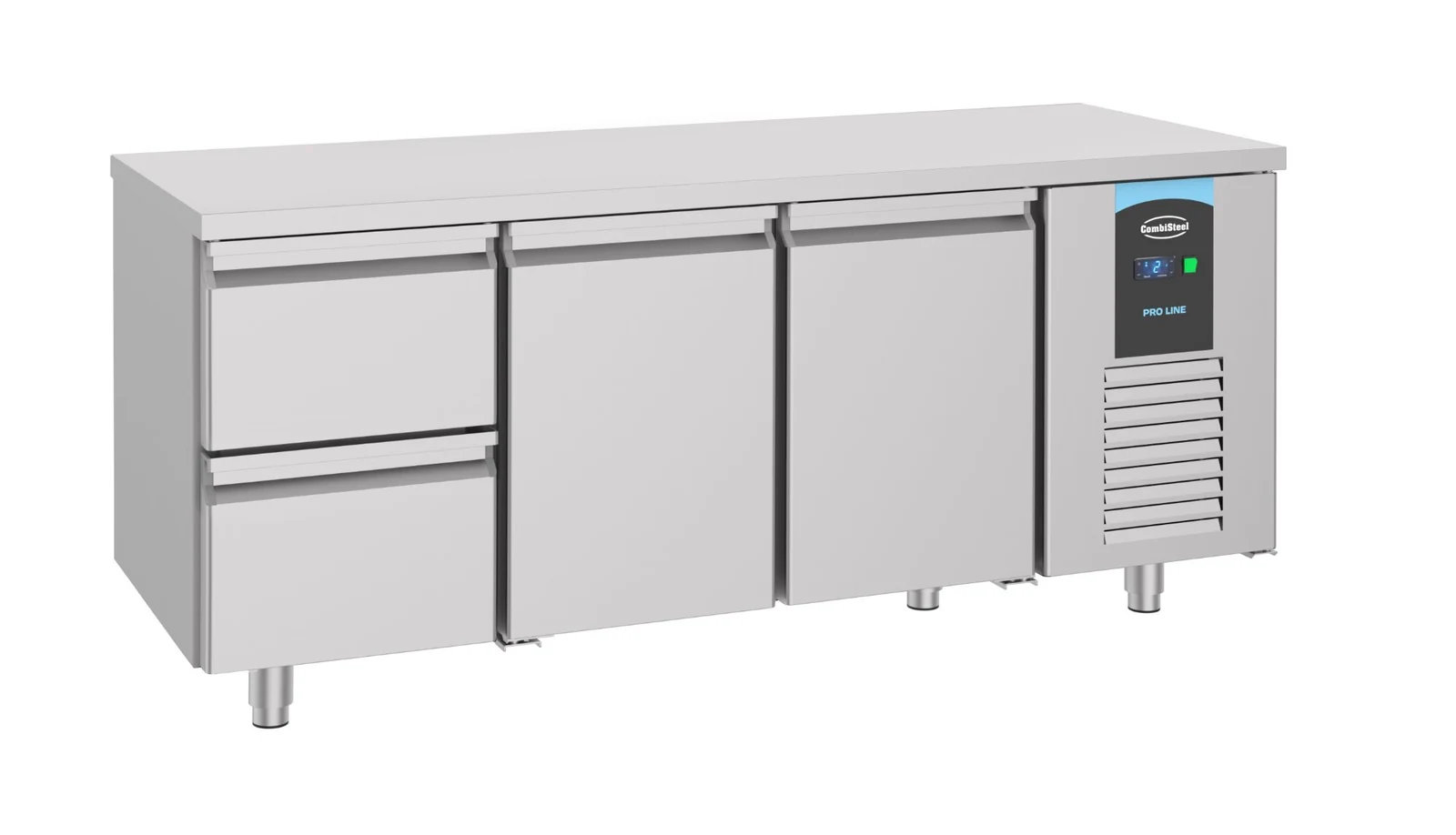
For 7489.5520, the Caterboss product listing describes the cabinet as:
- 2 doors + 2 drawers, GN 1/1, gross capacity 474 L, dimensions H850 × W1865 × D700: CombiSteel Counter 700 Refrigerator 2 Doors 2 Drawers (7489.5520) on Caterboss
For documentation, the model folder includes a 7489-series user manual:
Important: that PDF is titled as a 7489 series user manual. Treat it as a family document until you confirm it calls out your exact item code.
Use the checklist above before you circulate it:
- Search within the PDF for 7489.5520 (and close variants) and only rely on sections that clearly apply to your exact code.
- If you cannot find your item code inside the PDF, treat it as a likely series manual, not a confirmed exact-manual match. Ask the supplier to confirm the correct variant or revision for your specific unit.
When you find two versions of “the same” manual
Sometimes more than one PDF circulates for the same item code.
Example: for induction hob 7020.0130, there are two different manual files in circulation with different page counts. Treat that as a revision difference until the supplier confirms otherwise.
Practical way to handle this:
- For day-to-day operation, use the manufacturer operating manual that names your exact model, and stick to the instructions in that document.
- If a mismatch affects something that can change how the unit behaves or overheats (power settings, ventilation instructions, or a stated “do not” line), do not use retailer copy to break the tie. Escalate the question to the supplier with the two PDF links and the page numbers you are comparing.
Handling version conflicts and supplier queries
If two sources disagree, your job is to make it easy for the supplier to give you a straight answer.
1) Confirm you are comparing like with like
Capture:
- Model/item code (from the rating plate)
- Serial number (if available)
- The document filenames and links
- The page number(s) where the disputed detail appears
Also confirm you are comparing the same document type: operating manual vs spec sheet vs parts diagram.
2) Send a supplier query that is easy to action
Include:
- Model code exactly as shown on the rating plate (a photo helps)
- PDF filename and link, plus the page number of the disputed figure
- The conflicting figure and where it appears (older PDF, retailer listing, carton label, etc.)
- What you are trying to do: fault-find, plan install details, or order parts
3) Keep parts diagrams in their lane
An exploded parts drawing helps you identify components. It is not an instruction to open equipment.
For example, the 7020.0130 induction hob manual states: “Do not open the cooker to replace spare parts by yourself.” (page 3 of Manual 7020.0130 (2024)).
Next step: pull the exact PDF for your exact model
Use the model/item code to locate the matching document, then confirm your code appears inside the PDF before you circulate it to staff or service.
If you are still unsure which file applies, send the supplier the model/item code (and a photo of the rating plate if possible) along with the document link you found, and ask them to confirm the correct manual or revision for your specific machine.